
Test tools: the approach stays, the tool changes
Test strategy, quality gates and reports do not depend on the tool. We work with Jira and Xray, with SAP Cloud ALM and with OpenText ALM and ALM Octane. This page shows what is out there, where the differences lie and what the end of Atlassian Data Center means for your test tool.
Which test tools there are
There are many good tools. Which one fits depends on your landscape: on the systems where requirements and development live, and on who works with the tool.
How requirements and BDD scenarios come about: requirements management →
Our focus
Jira, Xray and Confluence
AtlassianRequirements, tests and defects in one tool chain, with test status right on the requirement. Common in agile teams and our standard in large programmes.
SAP Cloud ALM
SAPTest management in the SAP project: test cases, test plans and execution, linked to processes, requirements and stories.
OpenText ALM / Quality Center
formerly HP Quality Center, later Micro FocusClassic test management with requirements, test plan, test lab and defect tracking. Widely used in large corporations.
OpenText ALM Octane
formerly HP and Micro FocusNewer, agile-oriented platform from the same vendor. Continues alongside ALM / Quality Center.
Other tools on the market
Tricentis qTest
TricentisTest management that connects to automation tools and Jira.
Azure DevOps Test Plans
MicrosoftTest management inside Azure DevOps, a good fit when planning and development live there.
TestRail
Gurock / IDERAStandalone management of test cases and test runs, with links to Jira and other systems.
As of November 2026, based on publicly available documentation. Product names and features change; we check the details in the project. All names are trademarks of their owners.
Jira/Xray or SAP Cloud ALM
The two paths we implement most often. The approach is the same, the building blocks sit in different places.
| Building block | With Jira and Xray | With SAP Cloud ALM |
|---|---|---|
| Requirements and stories | Jira issues with acceptance criteria | Requirements and user stories, linked to processes |
| Test cases and traceability | Xray tests, linked to stories | Test cases in test preparation, linked to processes, requirements and stories |
| Test plans and execution | Test plans and test executions in Xray | Test plans and test execution, rating per step |
| Test planning and control | Jira Plans (formerly Advanced Roadmaps): planning across teams, dependencies and time | Time frame and progress per test plan, project overview with tasks and phases |
| Release management | Releases in Jira (versions), optionally with a release management app | Releases and deployments in change and deployment management |
| Automation (BDD, pipeline) | Scripts in the repository, results into Xray through an interface | No engine of its own, scripts external, connection of results to be clarified per project |
| Exploratory tests (UAT) | Test charters as exploratory test cases | Test charter as a manual test case |
| Defect management | Defect tickets in Jira | Defect management in Cloud ALM |
| Metrics and reports | Dashboards from Jira and Xray data, “created” and “tested” also reported separately | Dashboards in Cloud ALM, a separate metric needs a report of its own |
| Documentation | Confluence pages, linked to issues | Process documentation directly in the tool |
| AI knowledge base | Reads Jira, Confluence and Xray | Reads content from Cloud ALM, for example through the Excel export |
As of November 2026, based on publicly available documentation. Both tools keep evolving; we check the details in the project.
What testing in Cloud ALM can look like
Three views that a project needs: test plans with time frame and progress, the project overview for control, and test readiness ahead of a release decision.
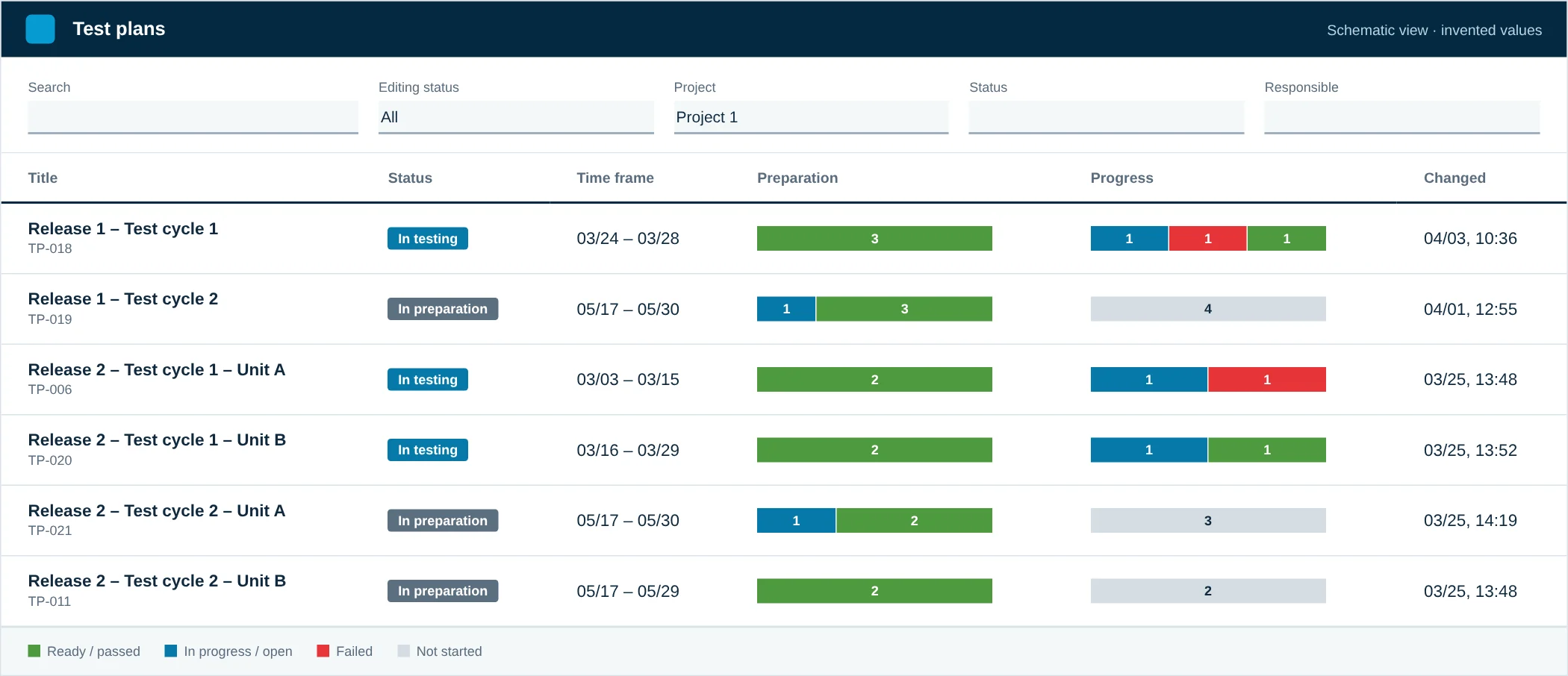
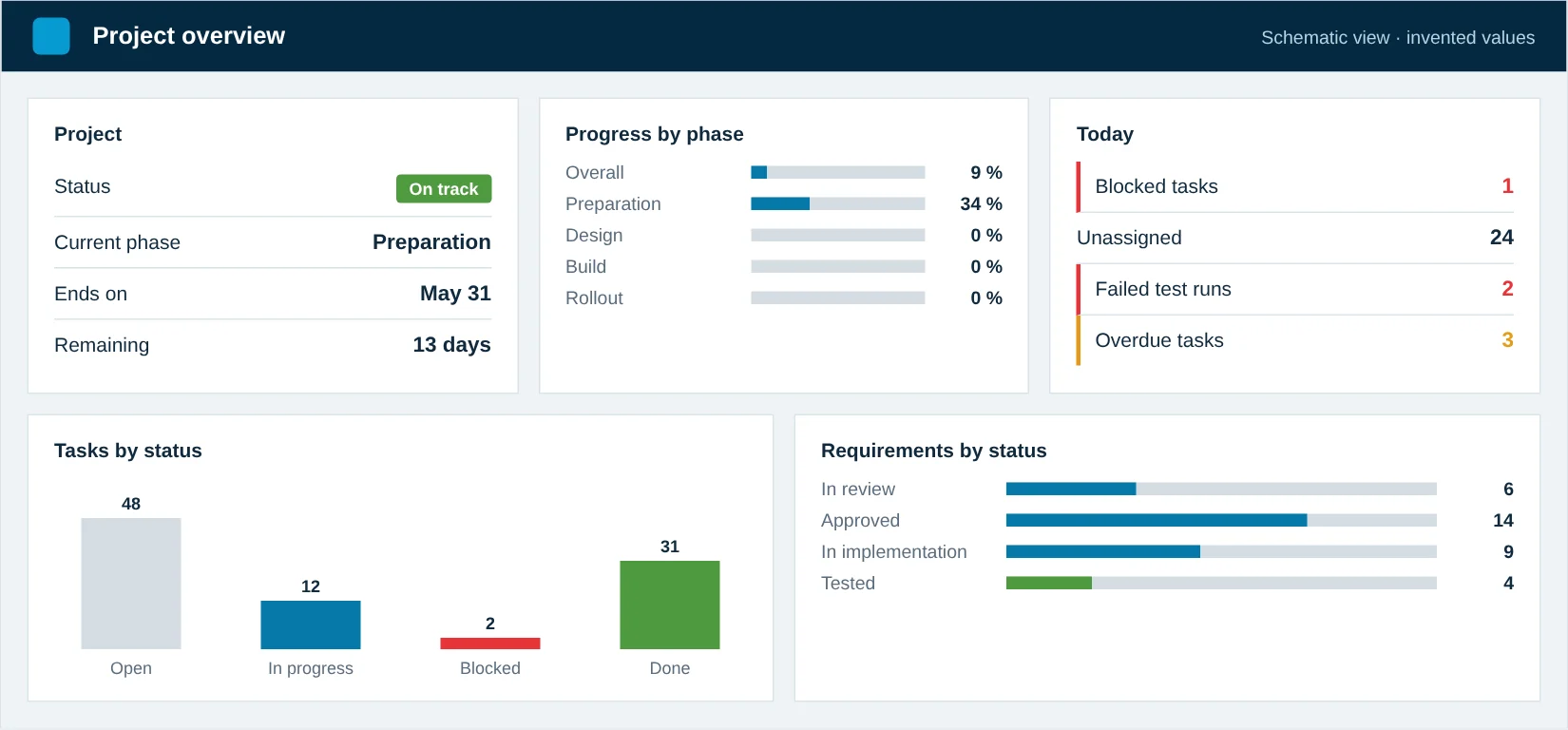
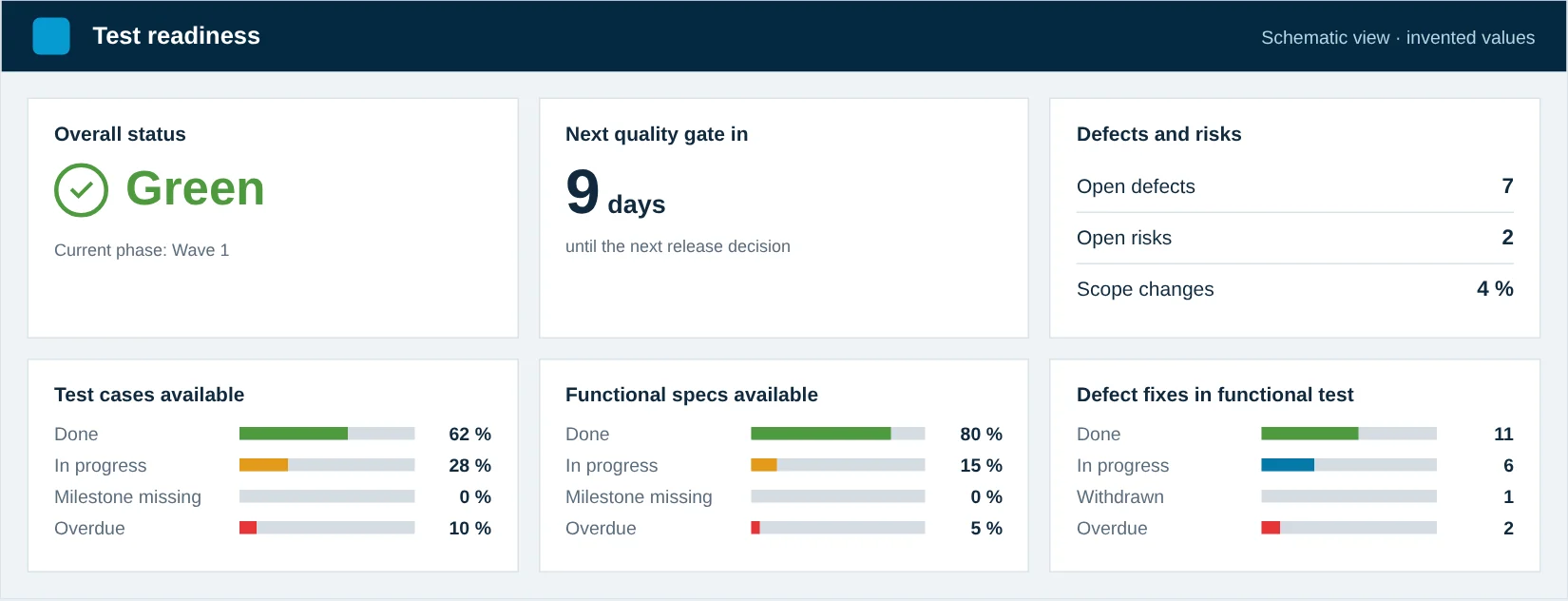
Schematic views in the ICCO style. Layout and values are invented, no client or project data.
End of Atlassian Data Center: what it means for your test tool
Atlassian is discontinuing Data Center. Anyone running Jira, Xray and Confluence in their own data centre has to decide by 2029: move to the cloud or replace the tool.
- February 2024
Server ended
Atlassian Server is already discontinued
- March 30, 2026
No new purchases
New customers can no longer buy Data Center
- March 30, 2028
No more expansions
Existing customers can no longer expand
- March 28, 2029
End of Data Center
Products become read-only
Source: Atlassian, “Data Center End of Life”. Individual cases with extended support are possible.
Three paths
Move to Atlassian Cloud
Jira, Xray and Confluence stay your tool. You change the platform. We make sure that structure, links and reports are right again afterwards.
Switch to another tool
For example to SAP Cloud ALM or another test management tool. The approach stays, the content is transferred and the existing content is cleaned up.
Make content usable for AI
If you no longer want to use Atlassian, you can store all documents and content so that an AI can read and process them. This also helps with any switch.
We support the switch: preserving the structure of test cases and requirements, securing traceability, cleaning up existing content. More on AI-supported QA without Atlassian →
Test tools: questions and answers
Which test tool is the right one?
It depends on your landscape. Where requirements, development and testing already run in Jira, Xray is the obvious choice. In SAP projects, SAP Cloud ALM can carry test management. The approach stays the same in both cases; we settle the choice together at the start.
Do you also work with HP ALM, Quality Center and ALM Octane?
Yes, we have worked in projects with OpenText ALM (formerly HP Quality Center) and with ALM Octane. The vendor continues to offer both products side by side.
What does the end of Atlassian Data Center mean?
Since March 30, 2026, new customers can no longer buy Data Center. Existing customers can expand until March 30, 2028. On March 28, 2029, Data Center ends and the products become read-only. Anyone who wants to keep using Jira, Xray and Confluence moves to Atlassian Cloud.
Can test cases and requirements be moved to another tool?
Usually yes, through export and import or through interfaces. What matters is to keep the structure and the links and to clean up the existing content beforehand. The effort depends on the volume and on the target tool.
Does the approach change when the tool changes?
No, the approach stays. Test strategy, quality gates, test charters and reports do not depend on the tool. Only the way they are set up in the tool is different.
Let us talk about your tool
Briefly describe your landscape and whether a switch is coming up. We will get back to you with a first assessment.
More on the future of your test tool: download the whitepaper “End of Atlassian Data Center”